Home / Features
FeaturesEverything from the first measurement to the last photo
What MS Rollout does, area by area. Every feature is in every plan: the Android app for estimators, managers and crews, and the web portal for the office.
The real web portal with a made-up snow, paving and landscaping company. Nothing to install, nothing is saved.
Estimating
Quote from the satellite map, with prices you set once.
- Job type first. Pick paving, landscaping or snow, then the job type. Managers keep the lists with their starting layers and fast prices.
- Fast quote or detailed, chosen per estimate. Costs and profit stay hidden until you open them.
- Measure on the satellite map: areas and lengths, with measuring tools that never change the drawing.
- Drawing tools like a simple CAD: exact side lengths, arcs by radius, fillets and chamfers, trim and extend, snaps to corners, midpoints and lines, move, rotate, duplicate, fix a corner, circles and cut-outs.
- Paving build-up: layers, thickness and tonnage per material, in US tons or tonnes, written in full.
- Options on one quote: good, better, best.
- Material names in your own words, stone sizes in your units.
- Estimate numbers that never clash: each phone holds numbers set aside by the server, so two estimators never give the same number, even offline.
Quotes and online approval
Faster yeses, fewer phone calls.
- Quote PDF you can edit in its final layout before it goes out, with your logo, terms and validity.
- Online approval: your customer gets a link by email, reads the quote and accepts and signs on their phone, or declines with a note.
- Signed quote PDF: a quote accepted online gets a last page with the name, the signature, the date and the time.
- The answer reaches every phone in your company; the estimator gets an email and the customer a copy.
- Extras asked for on site become change orders for the estimator to requote; crews see "waiting for approval" until the customer accepts.
- Repairs and warranty work on the same job.
- Customers and sites in two searchable tabs; a new site starts from the customer's details.
Dispatch, storms and crews
Everyone knows where to go next, and the office knows where everyone is.
- Run lists on a map for every activity, such as a storm or the day's jobs: sites numbered and coloured by status, picked right on the map.
- New dispatch alert with sound on the crew's phones, and a count of unopened dispatches.
- Crew positions on the map: each phone's latest position at every sync while signed in, and one every 3 minutes or after 50 m while a dispatch is open (every 10 minutes or 100 m once the phone has not moved for about 10 minutes), gentle on the battery. Each person shows with their photo and first name; a manager can hide their own position.
- Order by distance in one tap, or reorder by hand.
- Optimize route: the shortest driving order of a whole run list, with the first stop and the end you choose.
- Schedule: jobs, estimate visits and runs by day, week or month, by crew or estimator; drag one to another day or crew, and clashes show.
- Job sheet with the drawing and one-tap directions. Tapping a site shows the job first; nothing starts by itself.
- Delayed or skipped with the reason; the site stays red until someone restarts it.
- Roles and privileges: manager, estimator, crew chief, worker and support crew (mechanics, the shop, the office), each with a job title if you like; a switch per role for each privilege (See customers, See prices and totals, See others on the map...); invite codes or logins made by a manager.
Proof of service
When a customer asks "were you even here?", the answer is one PDF away.
- Visits stamped with time and GPS, with before and after photos that carry their own time and position.
- Visit actions such as prepare and level, remove and dig out, stone base and inspect, each with its own materials.
- Proof log PDF per site and period, ready to send.
- Delays and skips with reasons on the proof log too.
Punch clock and timesheets
Hours per person and per site, without paper.
- Clock in and out with the clock button at the bottom left of the map: green on the clock, red clocked out. Pick the dispatch or site you are working on.
- Automatic job clock, if you turn it on: Arrived and Done on a visit move the clock to that job, or the phone also suggests it by GPS within the arrival distance of a dispatched site (50 m / 165 ft unless you change it). Nothing changes without a tap.
- Crew chiefs clock in their crew and clock them out, when you give them the switch.
- Hours calendar in the app with each person's banked hours, and "Did you take lunch today?" at clock-out, if you ask it.
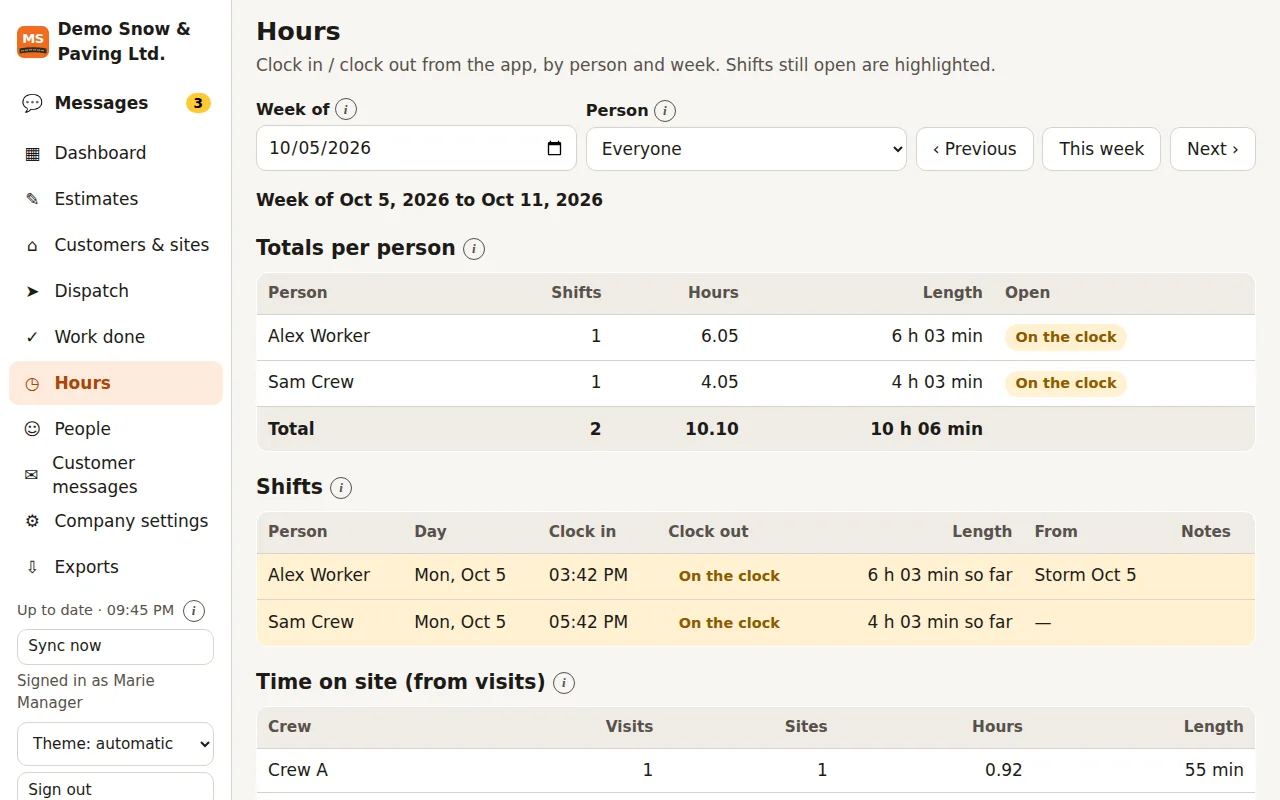
- Hours per person and per week in the portal, with shifts still open highlighted.
- Time on each site from the visits, per crew.
- Managers set the end of a forgotten shift.
- Export hours to CSV or Excel for payroll.
Screenshot of the web portal with sample data.
Chat and customer messages
Keep crews, office and customers in the loop.
Company chat
- One-to-one messages between anyone in the company, and a message to everyone
- Text, photos and voice notes; unread counts and a sound for new messages
- In the app and in the web portal, with a support line to MS Rollout for managers
Customer messages
- "On my way" from the dispatch and "job done" at check-out, with the after photos
- Written on the phone even offline and emailed at the next sync; replies go to the sender
- Status on each site: waiting, sent or not sent
- Review requests: after a job, one click emails the customer your review link.
Web portal for the office
Managers work from a desk at app.msrollout.com, with the same account as the app.
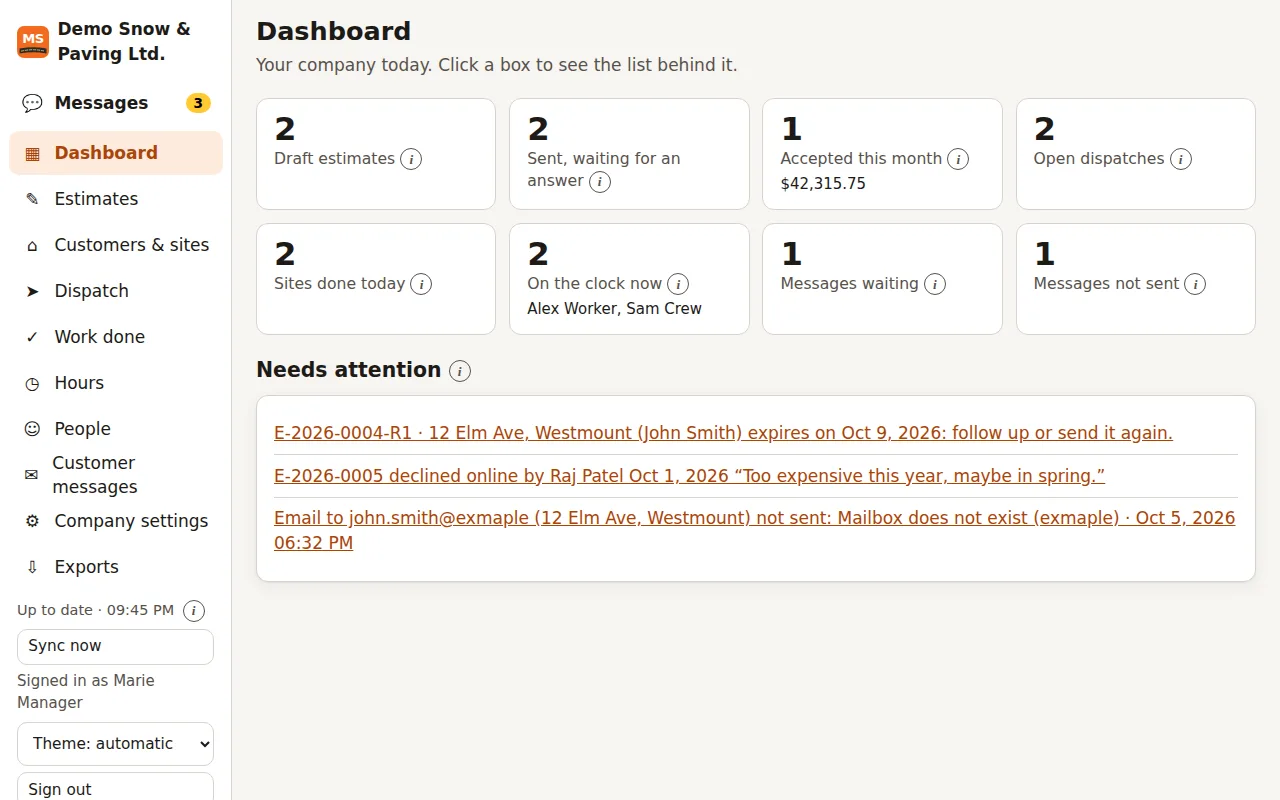
- Dashboard: open estimates, accepted work this month, open dispatches, sites done today, who is on the clock, and what needs attention.
- Estimates with status, start date and priority; customers and sites.
- Dispatch with the map and the run list; work done with a printable proof report.
- People: roles, privileges per role, invite codes.
- Company settings shared with every phone: details, quote terms, taxes, price books, job types, units and your logo.
- Invoices, contracts, pay, job costing, equipment and the schedule, each on its own page, with help on every page.
- Tooltips on every box and button; light and dark themes; works on a tablet too.
- Try the sample account: the portal with a made-up company, to click through before you sign up.
Screenshot of the web portal with sample data.
Invoices, payments and contracts
From the signed quote to the money in the bank.
Invoices
- From the work: a quote in full, a deposit, a progress percent, or the visits of a period (per visit, per snow event by depth, or time and materials).
- Payments by check, cash or transfer, credit notes and refunds; what is owed, sorted by how late it is.
- Reminders before and after the due date go out by themselves, in the customer’s language.
Online payments
- Customers pay an invoice by card or bank debit on its page, through Stripe, once you connect your company’s Stripe account.
- A card can be kept for the next invoices when the customer agrees; payments are recorded on the invoice as they come in.
Contracts
- Every way you sell: seasonal in installments, per push, per snow event by depth, per visit, time and materials, or a single job.
- Signed online on the customer’s phone or marked signed on paper; invoices follow the contract, and a renewal can carry a price change.
The customer’s page
- Customers sign in with a link sent by email and see their quotes, invoices, contracts and visits with proof photos; they pay, sign and ask for new work there.
- A request form for your own website: requests land in the app and the portal as quote requests.
Jobs from accepted quotes
- An accepted quote becomes a job to schedule, followed from “to schedule” to “done”.
- An advance invoice when the quote is accepted, if you want one, and the final invoice when the job is done.
- Customers can cancel a job online under your terms, with their reason recorded.
QuickBooks Online and languages
- QuickBooks Online sync: invoices and payments go to QuickBooks Online, payments and customer changes come back, with a log of every sync.
- The customer’s language: quotes, invoices, contracts and emails go out in English, Spanish, French or German, as set for each customer.
QuickBooks is a trademark of Intuit Inc.; MS Rollout is not affiliated with Intuit.
Pay, job costing and equipment
Know what each job cost and what each person earned.
Pay runs
- Hours from the punch clock per pay period, with overtime, piece pay, time off and extras; approved and locked.
- Banked hours: bank worked hours instead of paying them now, pay them out later, and choose whether hours over the overtime limits are paid as overtime or banked.
- Payslips to print, and each person sees theirs in the app.
- Files for QuickBooks, ADP and Gusto, where your payroll is paid.
Job costing
- Labor from the punch clock, materials and equipment hours from the visits, and extra costs, against each job’s quote.
- Per job and per site, with jobs that lose money shown on the dashboard.
Equipment
- Trucks, plows, loaders and mowers with their cost per hour and their hours of use on the visits.
- Service due every so many hours or days, with a service log; due and soon-due machines show on the dashboard.
Exports
Send your numbers where your bookkeeper already works.
- CSV and Excel: customers, sites, estimates, visits and hours, for the period you choose.
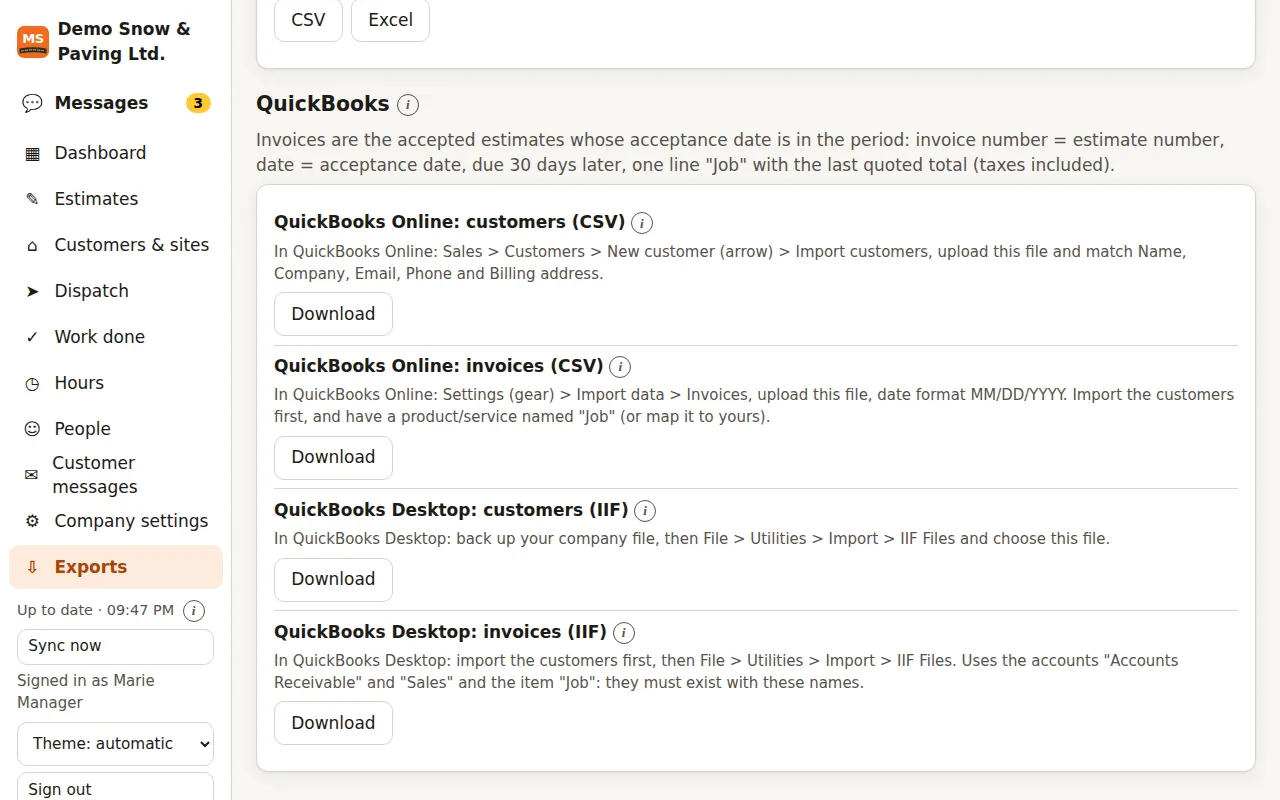
- QuickBooks Online: customers and invoices as CSV import files.
- QuickBooks Desktop: customers and invoices as IIF import files.
- PDF: quotes, job sheets and proof logs.
- Payroll files from each pay run for QuickBooks, ADP and Gusto.
QuickBooks is a trademark of Intuit Inc.; MS Rollout is not affiliated with Intuit.
Screenshot of the web portal with sample data.
Built for the job site
The details that matter at 5 a.m. in a parking lot.
Offline first
Every action saves on the phone, then syncs every couple of minutes, when the app comes back and after each change.
Sunlight mode
Black on white, larger and bolder text, strong borders.
Updates inside the app
A banner offers each new version; download and install in two taps.
Four languages
The app and the web portal work in English, Spanish, French and German; each person picks theirs.
Run your next job on MS Rollout
Start with 3 months free for up to 20 people, no card needed: install the Android app, create your company and confirm your email. Your office signs in to the web portal with the same account.
Then $29.99 a month with 1 seat · extra seats $12 · 30-day money-back guarantee